


A warehouse bin storage system gives every product a fixed, labelled address, so your team can put stock away, find it, pick it and count it without searching. Done well, it cuts walking time, prevents mispicks and keeps your stock records accurate. This guide explains what warehouse bins are, the main bin types, how to name bin locations, how to decide which product goes in which bin, and the best practices that keep a bin system working as you grow.
Quick answer: Give every bin a unique location code (for example aisle, rack, shelf, bin), label it with a barcode, record every product’s bin in your warehouse management system (WMS), keep fast-selling products in easy-to-reach bins near packing, and scan the bin and product at every putaway, pick and count.
Jump to: What is a bin · Bin types · Bin location naming · Why store the bin location · Fixed or random · Slotting · Layout · Labels · Software · KPIs · Checklist · FAQ
What is a warehouse bin?
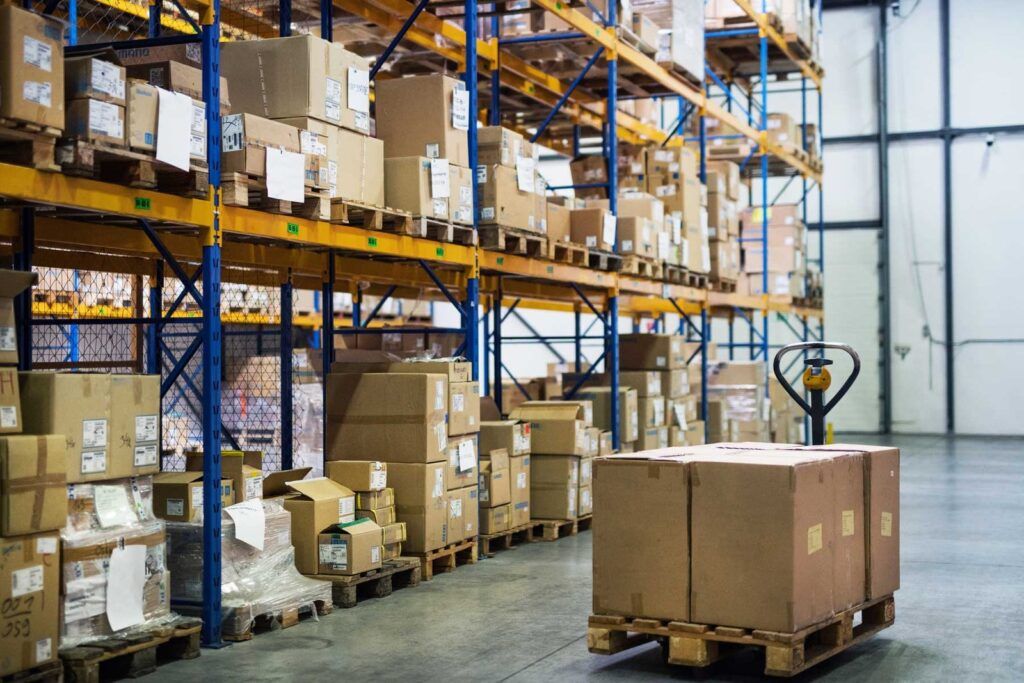
In a warehouse, a bin is the smallest storage location with its own address. It can be a plastic box on a shelf, a section of a shelf, a drawer or a single pallet position. Bins sit inside a larger structure:
- Zone or area: a section of the warehouse, for example ambient, cold or high-value.
- Aisle: the walkway between two rows of racks.
- Rack or bay: one shelving or racking unit along the aisle.
- Shelf or level: the height within the rack.
- Bin or position: the exact spot on that shelf.
A warehouse bin storage system, sometimes called an inventory bin system, is the combination of physical bins, a location naming scheme, labels and software that records which product is in which bin and how many units it holds.
Types of warehouse bins
| Bin type | What it is | Best for |
|---|---|---|
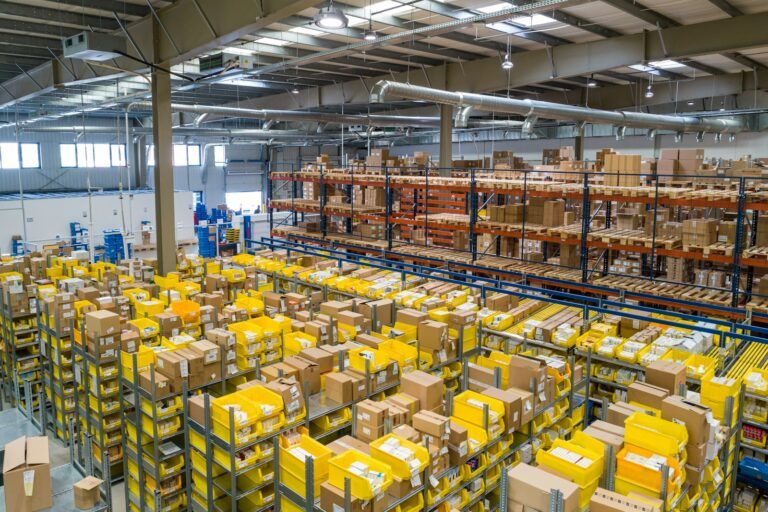
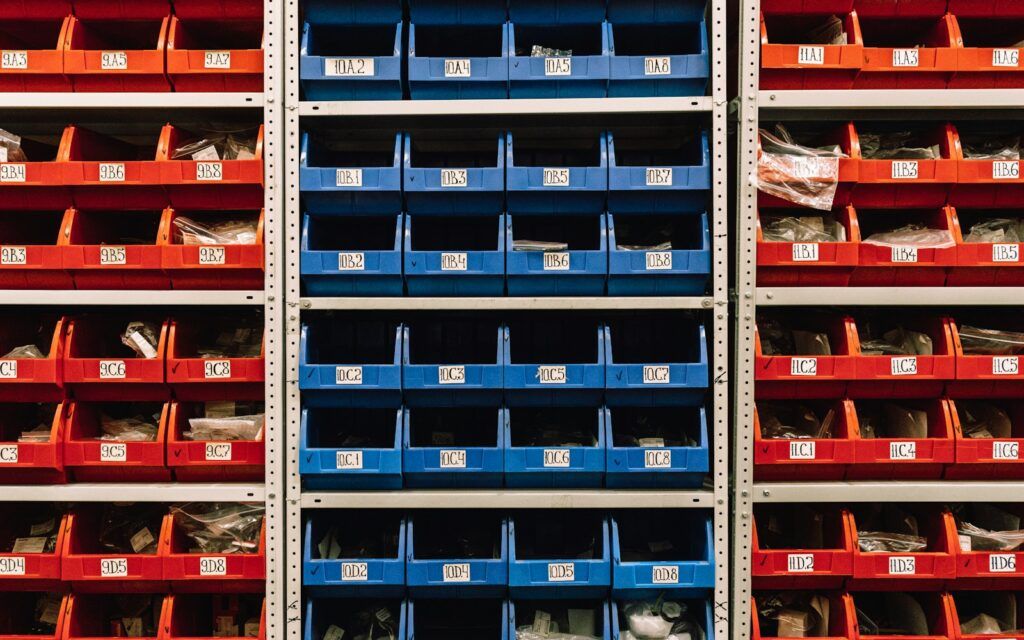
| Open-front shelf bins | Plastic bins with a scoop front, on shelving or louvred panels | Small, fast-picked items such as cosmetics, accessories and spare parts |
| Stackable and nestable totes | Closed boxes that stack when full and nest when empty | Overstock, moving stock between zones, returns |
| Divider boxes and drawers | Boxes or drawers split into compartments | Very small items and many SKUs in little space |
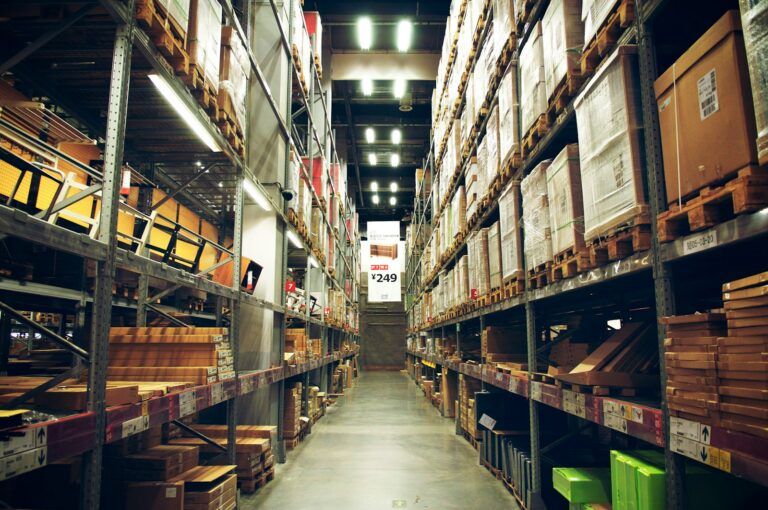
| Shelf locations | A marked section of a shelf, without a box | Cartons and boxed products |
| Carton flow racks | Sloped roller shelves fed from the back, picked from the front | High-volume products, first-in first-out |
| Pallet locations | One pallet position in pallet racking | Bulk stock and reserve stock |
| Automated totes | Bins stored and delivered by an automated storage and retrieval system (AS/RS) | High volumes and dense storage |
Most eCommerce warehouses combine several types: small bins for the pick face, totes or pallets for reserve stock, and shelf locations for boxed products.
How to name bin locations
A bin location code is the address your team and your WMS use to find stock. The most common structure follows the physical layout from big to small:
| Part | Example | Meaning |
|---|---|---|
| Zone | A | Ambient zone |
| Aisle | 03 | Aisle 3 |
| Rack (bay) | 02 | Second rack in the aisle |
| Shelf (level) | B | Second level from the floor |
| Bin (position) | 05 | Fifth position on the shelf |
Together: A-03-02-B-05. Small warehouses often drop the zone and use only aisle, rack, shelf and bin.
Bin location best practices
- Keep every code unique. No two bins in the building should share an address.
- Use a fixed format. Same number of characters in every part, with leading zeros (03, not 3), so codes sort correctly.
- Mix letters and numbers. Letters for levels and numbers for aisles and racks make codes easier to read aloud and harder to confuse.
- Number in walking order. Number racks and bins in the direction pickers walk, so pick lists sorted by location give the shortest route.
- Leave room to grow. Reserve numbers for racks you may add later instead of renumbering the warehouse.
Why store the bin location of every item?
Recording the bin, rack and location of each item, not just the total quantity in the warehouse or store, is what makes a bin system work:
- Faster picking. Pickers go straight to the right bin, and pick lists can be sorted into the shortest route.
- Fewer mispicks. Scanning the bin and the product confirms the right item was taken from the right place.
- Accurate stock. Stock per bin shows exactly where units are, so a count difference can be traced to one location.
- Easy putaway. New deliveries go to known bins, or to an empty bin the system suggests.
- Replenishment. When a pick bin runs low, the system knows which reserve bin to refill it from.
- Multiple locations per SKU. One product can sit in a pick bin and in reserve, or in several warehouses, and you still know the total.
- Cycle counts. You can count one bin or one aisle at a time instead of the whole warehouse. See our guide to stock counting.
Fixed or random bin locations?
| Fixed (dedicated) locations | Random (chaotic) locations | |
|---|---|---|
| How it works | Each SKU always has the same bin | Stock goes into any free bin the WMS suggests |
| Space use | Lower: bins stay reserved when empty | Higher: every free bin can be used |
| Picker knowledge | Staff learn where products are | Staff rely completely on scanners and the WMS |
| Best for | Small ranges, fast movers, pick faces | Large ranges, changing stock, reserve storage |
Many warehouses use both: fixed pick bins for fast-moving products and random locations for reserve stock. Random, or chaotic, storage only works with a WMS and barcode scanning, because nobody can remember where things are.
Slotting: which product goes in which bin
Slotting means placing products in the bins that make picking fastest and safest.
- ABC analysis. Rank products by how often they are picked. Put A items, your fast movers, in the bins closest to packing; C items can go further away.
- Golden zone. Keep the most-picked products between waist and shoulder height, so pickers do not bend or stretch.
- Heavy items low. Store heavy and bulky products on lower levels for safety.
- Separate look-alikes. Do not place similar products, such as two sizes or colours of the same item, in neighbouring bins; it invites mispicks.
- Pick face and reserve. Keep a few days of stock in the pick bin and the rest in reserve, with a minimum level that triggers replenishment.
- Re-slot regularly. Bestsellers change with seasons and launches. Review slotting at least every quarter and before peak season.
Warehouse layout and flow
Bins only work if the building around them supports a smooth flow from receiving to dispatch.
- Follow the flow of goods. Receiving, reserve storage, pick area, packing and dispatch should follow each other with as little backtracking as possible.
- Zone by product. Separate zones for small items, bulky goods, high-value stock and temperature-controlled products.
- Keep aisles clear and wide enough. Leave enough width for picking carts, pallet trucks and two people passing.
- Use vertical space safely. Higher shelving adds capacity, but put slow movers and reserve stock up high and fast movers within easy reach.
- Plan for peaks. Modular shelving and spare bins let you add pick locations for seasonal products without rebuilding the layout.
Racking must be installed and inspected safely. In Europe, the standard EN 15635 sets out how steel storage racking should be used, inspected and maintained, including regular inspections by a competent person.
Bin labels and barcodes

Every bin needs a label your team can read at a glance and scan in a second.
- Location code in large text plus a barcode or QR code of the same code.
- Durable labels that survive cleaning, cold and constant handling; use magnetic or reusable label holders if layouts change often.
- Colour coding by level, for example one colour per shelf height, helps pickers find the right level quickly.
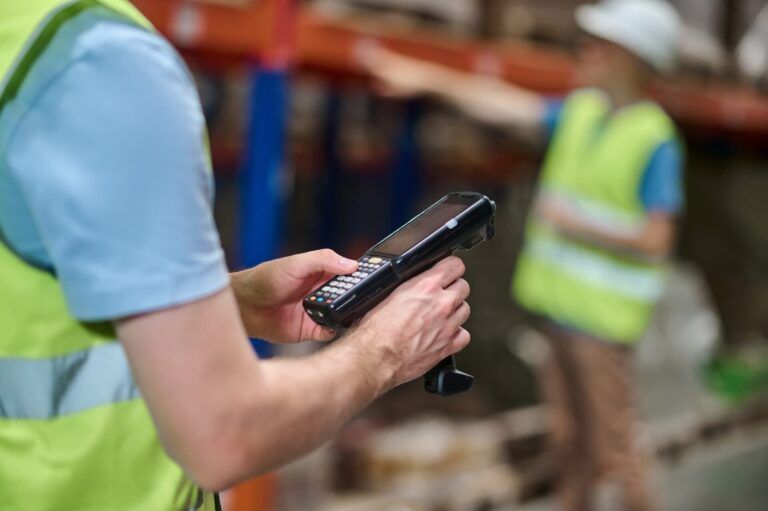
- Product labels too. Every product or inner pack should carry its own barcode, so staff scan both the bin and the item.
- Rack-end and aisle signs so people know where they are from a distance.
Bin storage software: why you need a WMS
A spreadsheet can list bins, but it cannot keep up with every putaway, pick and return. A warehouse management system records each movement by bin and turns the location data into tasks:
- live stock per SKU and bin, across one or several warehouses;
- putaway suggestions to the right or nearest empty bin;
- pick lists sorted by bin location, and batch picking across orders;
- replenishment tasks when a pick bin falls below its minimum;
- cycle counts by bin or aisle, with differences traced to one location.
Waredock WMS shows live stock per location and warehouse, supports batch, cluster and single-order picking, and uses product images and scan checks at every step to prevent mispicks.
Smart bins and automation
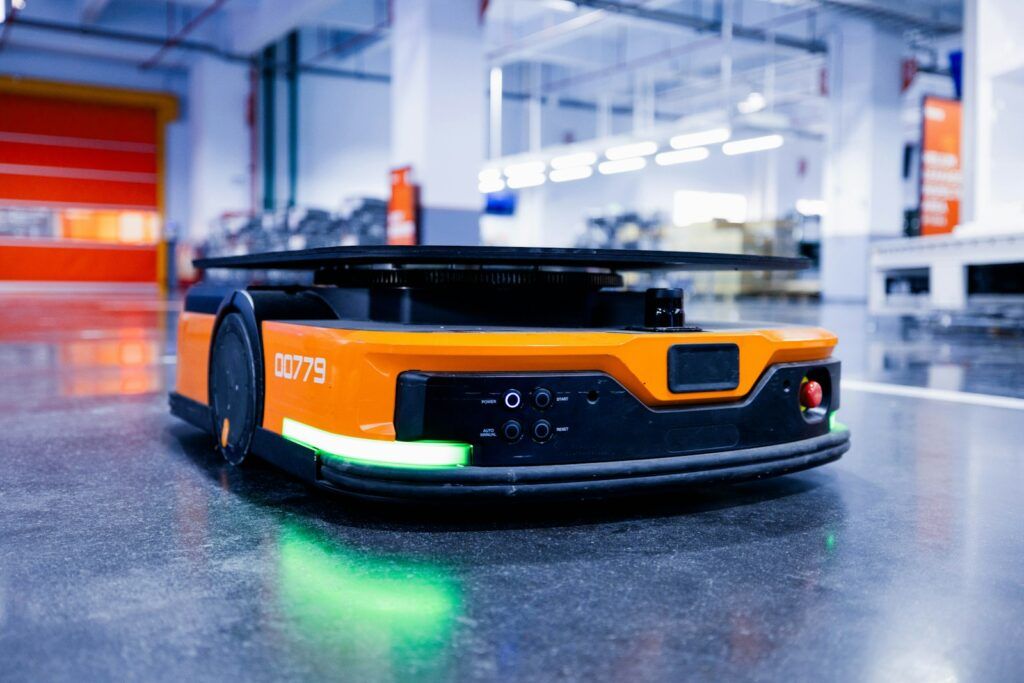
For high volumes, automation takes bin storage further. Automated storage and retrieval systems (AS/RS) store totes densely and bring them to the picker; pick-to-light displays show which bin to pick from; and smart bins with weight sensors can report stock levels automatically. For most small and mid-size eCommerce warehouses, good bins, labels, scanners and a WMS deliver most of the benefit at a fraction of the cost.
How to measure your bin system
| KPI | What it shows |
|---|---|
| Picks per hour | How quickly pickers find and take products |
| Mispick rate | Share of order lines with the wrong item or quantity |
| Inventory accuracy by bin | Share of counted bins where the system quantity matches |
| Space utilisation | Share of bins and pallet positions in use |
| Travel per order | How far pickers walk; drops when slotting improves |
| Replenishment stockouts | How often a pick bin is empty while reserve stock exists |
Bin storage checklist
- Every bin has a unique, fixed-format location code.
- Every bin and product has a scannable barcode.
- Every SKU’s bin is recorded in the WMS.
- Fast movers sit in the golden zone near packing.
- Look-alike products are not stored side by side.
- Pick bins have minimum levels and a reserve location.
- Bins and products are scanned at every putaway, pick and count.
- Slotting is reviewed every quarter and before peak.
- Bins are cycle counted on a schedule.
- Racking is inspected regularly.
If you would rather not run your own warehouse, see how Waredock handles warehouse storage and eCommerce fulfilment, or contact us via the contact page.
Frequently asked questions
What is a bin in a warehouse?
A bin is the smallest storage location in a warehouse with its own address, such as a plastic box, a shelf section, a drawer or a pallet position. Each bin has a unique location code so products can be put away, picked and counted accurately.
What is a warehouse bin location system?
It is the naming scheme, labels and software that give every bin a unique address, usually built from zone, aisle, rack, shelf and bin, and record which product is stored in each bin.
How do you label bin locations in a warehouse?
Use a consistent code such as A-03-02-B-05 (zone, aisle, rack, shelf, bin), print it in large text with a barcode, use durable labels, and number bins in the direction pickers walk.
Why do you need to store the bin location of an item?
Knowing the exact bin of every item lets staff pick faster, prevents mispicks, shows where stock differences come from, guides putaway and replenishment, and makes cycle counting by location possible.
What is chaotic storage?
Chaotic or random storage puts incoming stock into any free bin suggested by the WMS instead of a fixed bin per product. It uses space better but only works when every bin and product is scanned.
What is the best bin storage system for a small warehouse?
For most small eCommerce warehouses, open-front shelf bins for fast movers, shelf or pallet locations for reserve stock, barcode labels on every bin and a WMS give the best results without expensive automation.